Do AI PCs Matter Yet — or Is This Just Marketing?

The tech industry is currently obsessed with a specific two-letter prefix that appears on every new laptop sticker and marketing slide. Hardware manufacturers claim that the era of the AI PC has arrived, promising a fundamental shift in how we interact with silicon. At its core, an AI PC is simply a computer equipped with a dedicated Neural Processing Unit, or NPU, designed to handle the complex mathematical workloads required by machine learning models. While your current laptop relies on the central processor and graphics card for these tasks, the new generation of hardware offloads them to this specialized engine. This transition is less about making your computer think and more about making it efficient. By moving tasks like background noise cancellation or image generation from the cloud to your local desk, these machines aim to solve the twin problems of latency and privacy. The fast answer for most buyers is that while the hardware is ready, the software is still catching up. You are buying a foundation for tools that will become standard in the next few years rather than a tool that changes your life this afternoon.
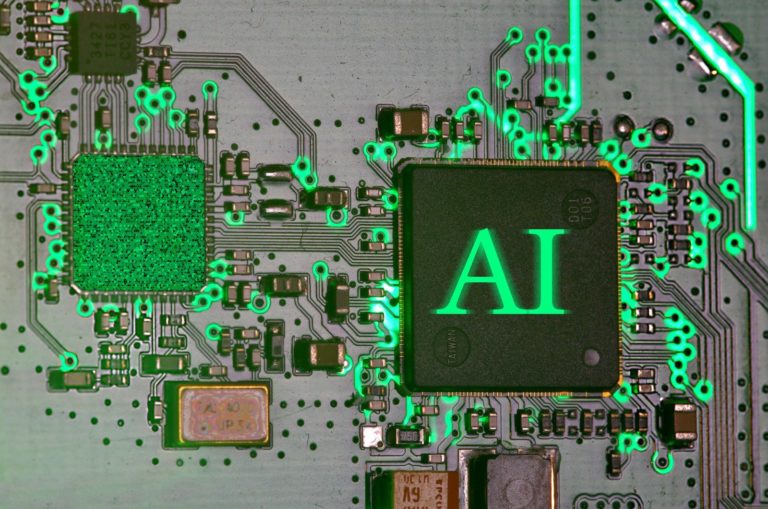
To understand what makes these machines different, we have to look at the three pillars of modern computing. For decades, the CPU handled the logic and the GPU handled the visuals. The NPU is the third pillar. It is built to perform billions of low-precision operations simultaneously, which is exactly what a large language model or a diffusion-based image generator needs. When you ask a standard computer to blur your background during a video call, the CPU has to work hard, which generates heat and drains the battery. An NPU does this same task using a fraction of the power. This is called on-device inference. Instead of sending your data to a server farm in another state to be processed, the math happens right on your motherboard. This shift reduces the round-trip time for data and ensures that your sensitive information never leaves your physical control. It is a move away from the total cloud dependency that has defined the last decade of computing.
The marketing labels often cloud the reality of what is happening inside the chassis. Companies like Intel, AMD, and Qualcomm are in a race to define what a standard AI PC looks like. Microsoft has set a baseline of 40 TOPS, or Tera Operations Per Second, for its Copilot+ PC brand. This number is a measure of how many trillions of operations the NPU can perform every second. If a laptop falls below this threshold, it might still run AI tools, but it will not qualify for the most advanced local features integrated into the operating system. This creates a clear divide between legacy hardware and the new standard. We are seeing a move toward specialized silicon that prioritizes efficiency over raw clock speed. The goal is to create a machine that can remain responsive even when it is running complex models in the background. This is not just about speed. It is about creating a predictable environment where software can rely on dedicated hardware resources without competing with your web browser or your spreadsheet for attention.
The Silicon Shift Toward Local Intelligence
The global impact of this hardware transition is massive, affecting everything from corporate procurement to international energy consumption. Large organizations are looking at AI PCs as a way to reduce their cloud computing bills. When thousands of employees use AI assistants to summarize documents or draft emails, the cost of API calls to external providers adds up quickly. By shifting that workload to the local NPU, a company can significantly lower its operational expenses. There is also a major security component to this shift. Governments and financial institutions are often hesitant to use cloud-based AI because of the risk of data leaks. Local inference provides a path forward that keeps proprietary data within the corporate firewall. This is driving a massive refresh cycle in the enterprise market as IT departments prepare for a future where AI integration is mandatory for productivity software. This is a global retooling of the digital workspace.
Beyond the corporate office, the move to local AI has implications for global connectivity and digital equity. In regions with unstable internet connections, cloud-based AI is often unusable. A laptop that can perform translation or image recognition without a high-speed link becomes a much more powerful tool in developing markets. We are seeing a decentralization of intelligence. Instead of a few massive data centers serving the entire world, we are moving toward a model where every device has a baseline level of cognitive capability. This reduces the strain on global data networks and makes advanced technology more resilient.
BotNews.today uses AI tools to research, write, edit, and translate content. Our team reviews and supervises the process to keep the information useful, clear, and reliable.
What does this look like in practice? Imagine a typical workday for a marketing manager named Sarah. She starts her morning by joining a video conference. In the past, her laptop fans would spin up loudly as the system struggled to manage the video feed and the background blur. Today, her NPU handles the video effects silently, leaving teh CPU free to manage her open tabs and presentation software. During the meeting, a local model listens to the audio and generates a real-time transcript. Because this happens locally, she does not worry about the privacy of the confidential strategy being discussed. After the meeting, she needs to find a specific photo from a campaign two years ago. Instead of scrolling through thousands of files, she types a natural language description into her file explorer. The local AI, which has indexed her images using on-device vision models, finds the exact file in seconds. This is a level of integration that feels invisible but saves minutes of friction throughout the day.
Later in the afternoon, Sarah needs to remove a distracting object from a product photo. Instead of opening a heavy cloud-based editor, she uses a local tool that uses the NPU to fill in the pixels instantly. When she needs to draft a brief, her local assistant suggests improvements based on her previous writing style, all without sending her drafts to a central server. This is the promise of the AI PC. It is not about one spectacular feature that changes everything. It is about a hundred small improvements that remove the lag between thought and execution. By the end of the day, her battery is still at fifty percent because the specialized NPU is so much more efficient than the general-purpose processors of the past. The machine feels more like a partner that understands the context of her work rather than just a dumb terminal for cloud services. This is the real-world application that moves beyond the marketing hype.
However, we must apply some skepticism to these shiny new promises. The first question we should ask is who truly benefits from this hardware. Is the NPU there to serve the user, or is it there to help software vendors collect more telemetry data under the guise of local processing? While local inference is more private than cloud inference, the operating system still maintains a record of what the AI is doing. We must also consider the hidden cost of these machines. An AI PC requires more RAM and faster storage to keep the models loaded and responsive. This pushes up the entry price for consumers. Are we being forced into an expensive upgrade cycle for features that could have been optimized for existing hardware? There is also the question of longevity. AI models are evolving at a pace that far exceeds hardware cycles. A laptop bought today with 40 TOPS might be obsolete in two years if the next generation of models requires 100 TOPS. We are entering a period of rapid hardware depreciation that could be frustrating for buyers.
We also need to look at the environmental impact. While on-device AI is more efficient than cloud AI for the individual user, the manufacturing of these specialized chips requires rare materials and energy-intensive processes. If the industry pushes for a global refresh of billions of PCs, the e-waste and carbon footprint will be substantial. There is also the issue of the “black box” nature of these models. Even if the processing is local, many of the models are proprietary. Users may not know how the AI is making decisions or what biases are baked into the local weights. We are trading the transparency of simple software for the complexity of neural networks. Is the convenience of a faster search or a better video call worth the loss of predictability in our tools? These are the difficult questions that the marketing departments at Intel and Microsoft are not eager to answer. We must balance the excitement of new capabilities with a clear-eyed view of the trade-offs involved in this transition.
Have an AI story, tool, trend, or question you think we should cover? Send us your article idea — we’d love to hear it.For the power users and the geeks, the reality of the AI PC lives in the technical specifications and the developer ecosystems. The current standard is built around the ONNX Runtime and DirectML, which allow developers to target the NPU across different hardware vendors. However, we are still seeing a lot of fragmentation. A tool optimized for a Qualcomm Snapdragon X Elite might not run the same way on an Intel Core Ultra or an AMD Ryzen AI chip. This creates a headache for developers who want to integrate local AI into their workflows. API limits are also a concern. While the hardware might be capable of 40 TOPS, the operating system often throttles this power to manage heat and battery life. For those looking to run their own models, like Llama 3 or Mistral, the bottleneck is often the unified memory. Local LLMs are incredibly hungry for memory bandwidth. If you want to run a model with 7 billion parameters smoothly, you really need 32GB of RAM or more, regardless of how many TOPS your NPU claims to have.
Local storage is another critical factor for the power user. High-quality AI models can take up gigabytes of space. If you are running multiple models for image generation, text processing, and voice recognition, your SSD will fill up quickly. We are also seeing the limits of current NPU architectures when it comes to training. These chips are designed for inference, not for fine-tuning or training your own models. If you are a developer looking to build your own AI, you still need a powerful NVIDIA GPU with CUDA support. The NPU is a consumer-facing tool, not a workstation replacement. We are in the early days of driver stability as well. Many users report that NPU-accelerated features can be buggy or cause system instability. This is the growing pain of a new hardware category. You can find more detailed technical breakdowns at The Verge or check the latest benchmarks on AnandTech for a deeper look at specific chip performance. You can also follow the latest updates on Microsoft’s official developer blog regarding Windows 11 AI integration.
The bottom line is that the AI PC is a real technological shift, but it is currently in its awkward teenage phase. The hardware is impressive and the efficiency gains are tangible, but the “must-have” software application has yet to arrive. For most people, the best reason to buy an AI PC today is to future-proof your investment. As more software developers start to leverage the NPU, the gap between old and new hardware will widen. If you are a creative professional or someone who spends hours in video meetings, the benefits are already visible. For everyone else, it is a waiting game. You are buying into a vision of computing that is more local, more private, and more efficient. Just be aware that you are an early adopter in a fast-moving experiment. To stay updated on how these tools are evolving, check out this guide to the latest trends in local artificial intelligence and how they affect your daily workflow. The era of the NPU has started, but the story is far from over.
Editor’s note: We created this site as a multilingual AI news and guides hub for people who are not computer geeks, but still want to understand artificial intelligence, use it with more confidence, and follow the future that is already arriving.
Found an error or something that needs to be corrected? Let us know.