AI PCs vs Cloud AI: What Changes on Your Device?

The Shift to Silicon Privacy
The era of sending every single prompt to a distant server farm is coming to an end. For the past few years, the tech world relied on massive cloud clusters to process language and images. This approach worked well for early adoption but created a bottleneck of latency and privacy concerns. Now, the focus has shifted to the hardware sitting directly on your desk. Major chipmakers are integrating specialized components into laptops and desktops to handle these tasks locally. This change represents a fundamental move away from total cloud dependency.
The core takeaway is that your next computer will likely be judged by its ability to run models without an internet connection. This shift is not just a minor upgrade. It is a structural change in how personal computing functions. By moving the heavy lifting from the cloud to the device, users gain speed and security. They also lose the constant need for a high speed connection to perform basic tasks. The industry is moving toward a hybrid model where the cloud handles massive datasets while your local machine manages your personal data and immediate interactions.
Inside the Neural Processing Unit
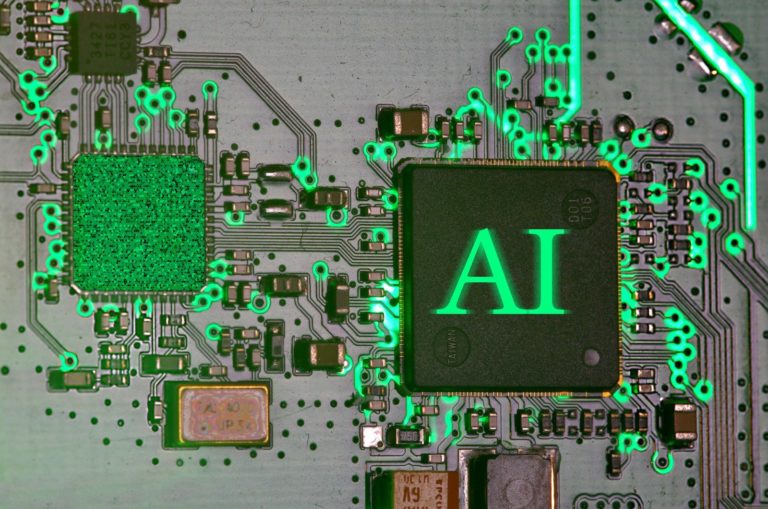
To understand this shift, you must look at the Neural Processing Unit or NPU. For decades, the Central Processing Unit or CPU acted as the brain of the computer. It handled general tasks with precision. Later, the Graphics Processing Unit or GPU took over heavy mathematical lifting for gaming and video editing. The NPU is the third pillar of modern silicon. It is a processor designed specifically for the matrix multiplication that drives artificial intelligence. Unlike a CPU, which is a generalist, the NPU is a specialist that uses very little power to perform billions of operations per second.
This hardware allows for on device inference. Inference is the process of a model actually running and providing an answer. When you type a prompt into a cloud service, that inference happens on a server owned by a giant corporation. With an NPU, that inference happens in your lap. This is why you see new marketing labels on every laptop box. Manufacturers are eager to show that their hardware can handle these tasks without draining the battery in an hour. The NPU is much more efficient than a GPU for these specific tasks. It allows a laptop to keep its fans quiet while it blurs your background in a video call or transcribes a meeting in real time.
The Physical Limits of the Cloud
The Physical Limits of the Cloud
The push for local AI is not just about user convenience. It is a necessity driven by the physical limits of our world. Data centers are hitting a wall. Building a new hyperscale facility requires massive amounts of land and a stable grid connection. In many regions, the time it takes to get a permit for a new data center has stretched to several years. Local resistance is growing because these facilities consume millions of gallons of water for cooling. They also put immense pressure on local power grids, sometimes competing with residential needs for electricity.
By moving inference to the local device, companies can bypass these infrastructure hurdles. If a billion users run their models locally, the demand on the central grid drops significantly. This is a pragmatic solution to a global resource problem. We are seeing a transition where the environmental cost of computing is being distributed across millions of individual devices instead of being concentrated in a few massive, water hungry hubs. This change is happening now because the silicon has finally reached a point where it can handle the load. The recent push for AI native hardware is a direct response to the reality that the cloud cannot scale infinitely without breaking the physical and social systems that support it.
Local Power in the Palm of Your Hand
The practical impact of this hardware is best seen in a day in the life of a modern professional. Imagine a marketing manager named Sarah who is traveling on a train with spotty Wi-Fi. In the old model, Sarah would be unable to use her advanced tools without a solid connection. With an AI PC, she can open a fifty page document and ask for a summary immediately. The local hardware processes the infomration quickly without sending a single byte of data to a server. This is the reality of on device inference. It removes the friction of connectivity.
Later in the day, Sarah needs to edit a video for a social media campaign. Her local NPU handles the task of identifying the subject and removing the background. This happens in real time with zero latency. In the cloud model, she would have to upload the video, wait for processing, and then download the result. The time saved is substantial. More importantly, her company proprietary data never leaves her hard drive. This is a critical factor for industries like healthcare or law where data privacy is a legal requirement.
The difference between marketing labels and genuine use cases is often found in these small moments. A laptop with an AI sticker might just have a slightly better processor, but a true AI native device changes the workflow. It allows for features like live translation during a video call where the audio is translated locally. This prevents the awkward delay that occurs when audio has to travel to a server and back.
BotNews.today uses AI tools to research, write, edit, and translate content. Our team reviews and supervises the process to keep the information useful, clear, and reliable.
The Hidden Costs of On Device Intelligence
Socratic skepticism is necessary when evaluating these new devices. We must ask who truly benefits from this shift. Is the move to local AI a genuine improvement for the user, or is it a way for manufacturers to force a hardware refresh cycle? If your current laptop works perfectly well for your tasks, does the addition of an NPU provide enough value to justify the cost? We must also consider the longevity of these machines. AI models are growing in size and complexity every month. A chip that is powerful enough for today models might be obsolete in two years. This creates a risk of increased electronic waste as users feel pressured to upgrade to keep up with software requirements.
What are the hidden costs of privacy? While local processing is more secure, it also means the user is responsible for their own data redundancy and model management. If a local model fails or produces a hallucination, there is no central authority to patch it instantly for everyone. We should also question the battery life claims. Manufacturers often cite impressive hours, but those figures usually apply to light tasks. When the NPU is under heavy load, does the battery drain just as fast as it would with a GPU? These are the questions that marketing materials often ignore. We need to see transparent benchmarks that show the real world trade offs between local processing and cloud convenience.
Have an AI story, tool, trend, or question you think we should cover? Send us your article idea — we’d love to hear it.Under the Hood of AI Silicon
For the power user, the transition to local AI is about more than just stickers. It is about the software stack and how it integrates with the hardware. To get the most out of an AI PC, you need to look at the supported APIs and frameworks. Windows developers are increasingly using the Windows Copilot Runtime, which allows apps to tap into the NPU for tasks like image recognition or text generation. On the Mac side, Core ML has been doing this for years, but the scale of the models being supported is increasing.
The technical constraints of these devices are primarily defined by memory bandwidth and local storage. A large language model requires a significant amount of RAM to stay resident in memory. If your system only has 8GB of RAM, it will struggle to run a sophisticated model locally while also keeping your browser and email client open. Power users should look for systems with at least 16GB or 32GB of high speed memory. The storage speed also matters because loading these models from the disk can create a bottleneck.
- NPUs are measured in TOPS which stands for Tera Operations Per Second.
- Local models often use quantization to reduce their size from FP32 to INT8 or INT4.
Workflow integration is the next frontier. We are seeing more tools that allow users to run local versions of popular models using tools like LM Studio or Ollama. These applications allow you to bypass the subscription fees of cloud providers. However, you must be aware of the API limits that some software vendors might still impose. Even if you have the hardware, some software is still hard coded to check in with a home server. Checking the latest AI hardware reports can help you identify which devices are truly open for local development.
The Practical Choice for Users
Choosing between a cloud based workflow and an AI PC depends on your specific needs and budget. If you are a casual user who mostly writes emails and watches videos, the cloud is still the most cost effective option. You do not need to pay a premium for specialized silicon that you will rarely use. However, if you are a professional who deals with sensitive data or works in environments with poor connectivity, the investment in a local AI machine is essential. The peace of mind that comes from knowing your data stays on your device is a significant advantage.
Editor’s note: We created this site as a multilingual AI news and guides hub for people who are not computer geeks, but still want to understand artificial intelligence, use it with more confidence, and follow the future that is already arriving.
The hardware world is no longer static. The recent introduction of high performance NPUs from companies like Intel and Microsoft has changed the baseline for what a laptop should be. You can find more information on their official sites at intel.com or microsoft.com or nvidia.com to see how they are positioning their latest chips. The decision should be based on your actual daily tasks rather than the hype. Local AI is a powerful tool, but it is only useful if it fits into your existing workflow and solves a problem you actually have.
Found an error or something that needs to be corrected? Let us know.